Your design deserves a better first conversation
Upload what you have. No prompts, no V-Ray, no turnaround time. Sherpa turns your work render into an image you're confident to show.
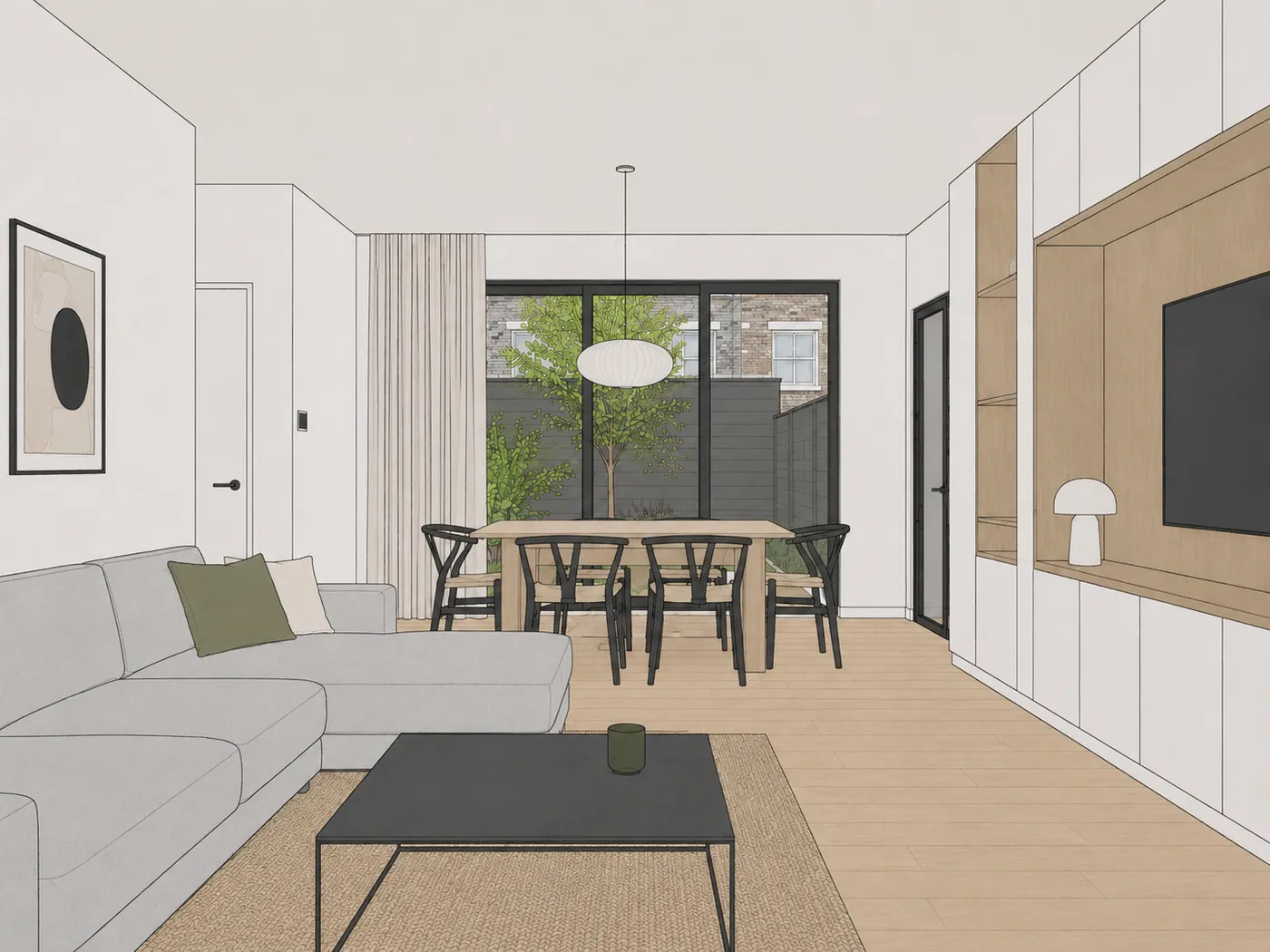
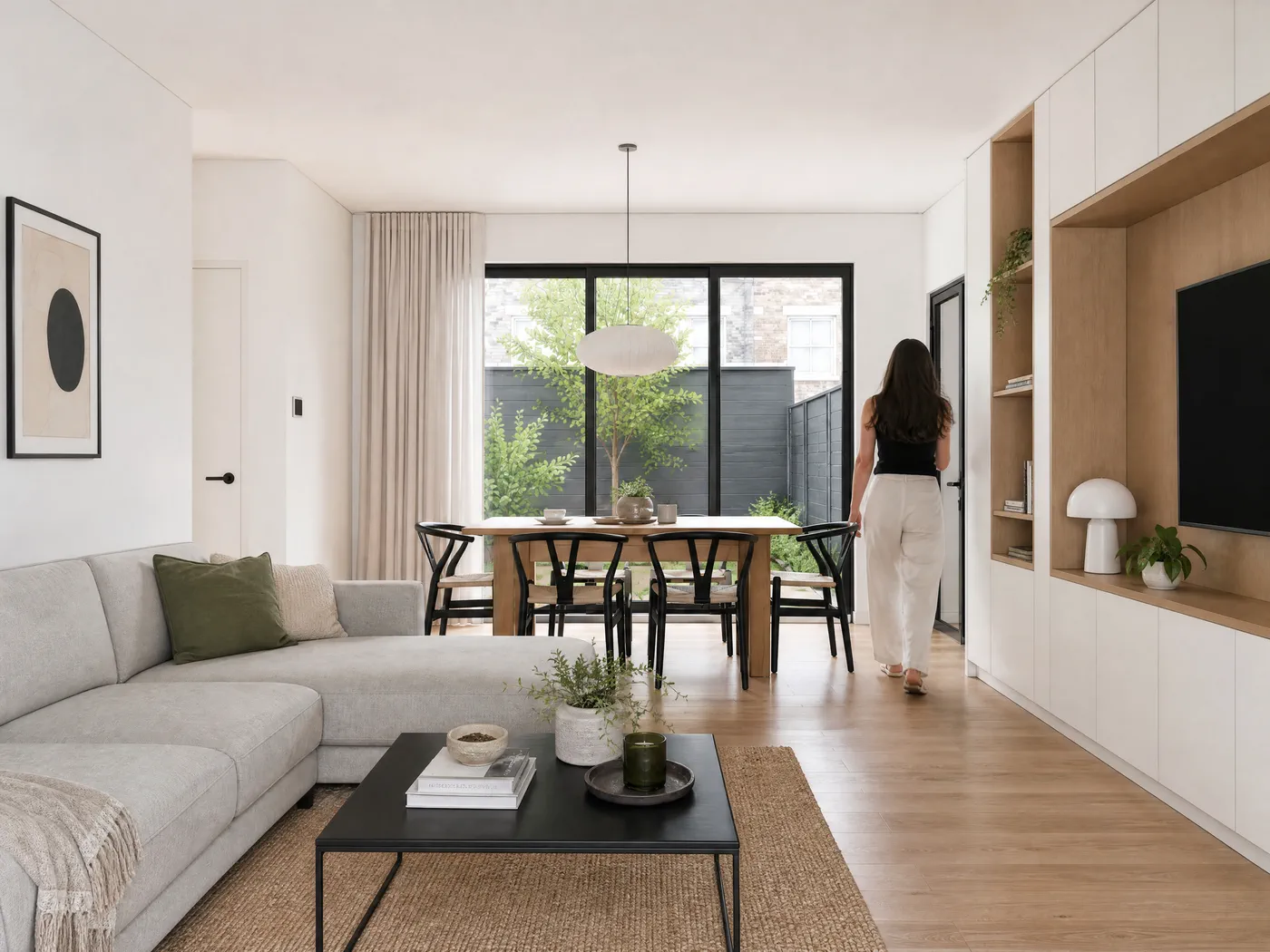
Put your own render in
This is the real tool, not a video. Drop a SketchUp export or a photo here, set your options and press render. You only create an account at the moment you press it.
No export to hand? Try Sherpa with one of these SketchUp exports.
Direct the lighting, people, styling and materials. Leave untouched for the standard look.
Lighting
How bright the image reads. Moody adds contrast and depth.
The weather outside. "Follow time of day" uses your choice above.
The colour cast of the light: warm is more yellow, cool more blue.
Whether the lamps in the scene are switched on or off.
People
Who walks through the frame. People give a space its scale.
Styling
How much gets dressed in: plants, books, cushions, tableware.
Your render runs in your dashboard. Signing up takes half a minute, your first 5 renders are free and no credit card is involved.
An AI renderer without prompts, settings or render engine
Sherpa is an AI renderer for architects and interior designers. You upload a work render or SketchUp export and get a presentation-ready image back within minutes, with no prompts and no render engine. A free account includes 5 renders, paid plans start at 49 euros per month.
The design is right. The image isn't pulling its weight yet.
The space works. The choices work. But what you're showing is still working material.
Too technical for a client conversation.
Too flat for a pitch.
Not strong enough for the moment that actually matters.
Setting up a full rendering process isn't always the answer. It costs time, money and briefing rounds you don't have right now.
Sherpa is built for exactly this moment.
From work render to something you're confident to show
Sherpa works from what you already have. No prompts to write. No settings to understand. No V-Ray, no Corona, no hours of post-processing.
You upload your work render or SketchUp export. Sherpa processes it. You get back an image that works harder in presentation, without being a visualisation specialist or needing one.
Not photorealistic, and it doesn't need to be.
But presentable, recognisable and ready within minutes, exactly what a pitch or client conversation needs.
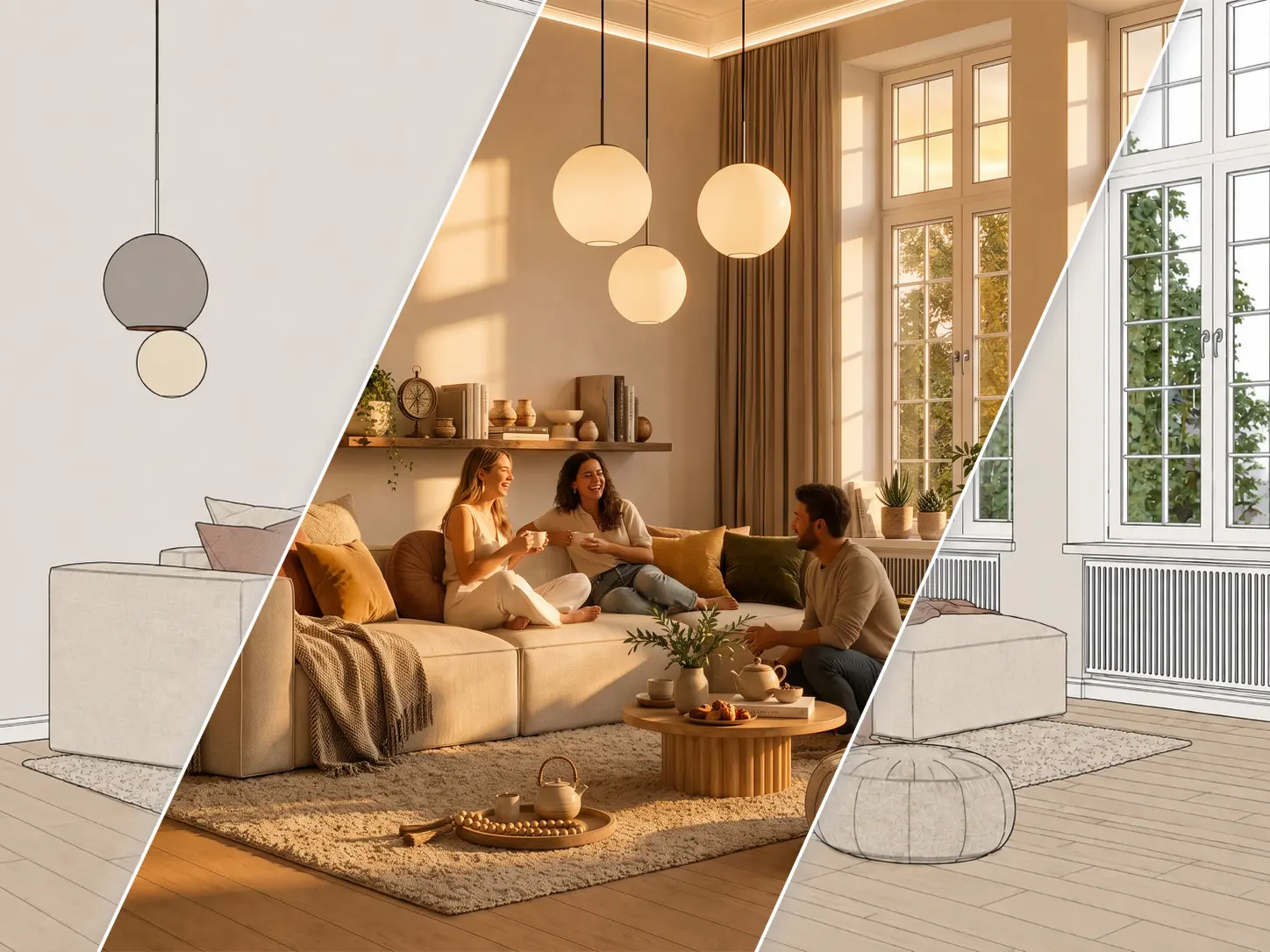
What makes the difference
Sherpa is easiest to judge on real material.
No polished studio shots. These are real work renders from real projects, and what Sherpa makes of them in a single step. Drag the slider.
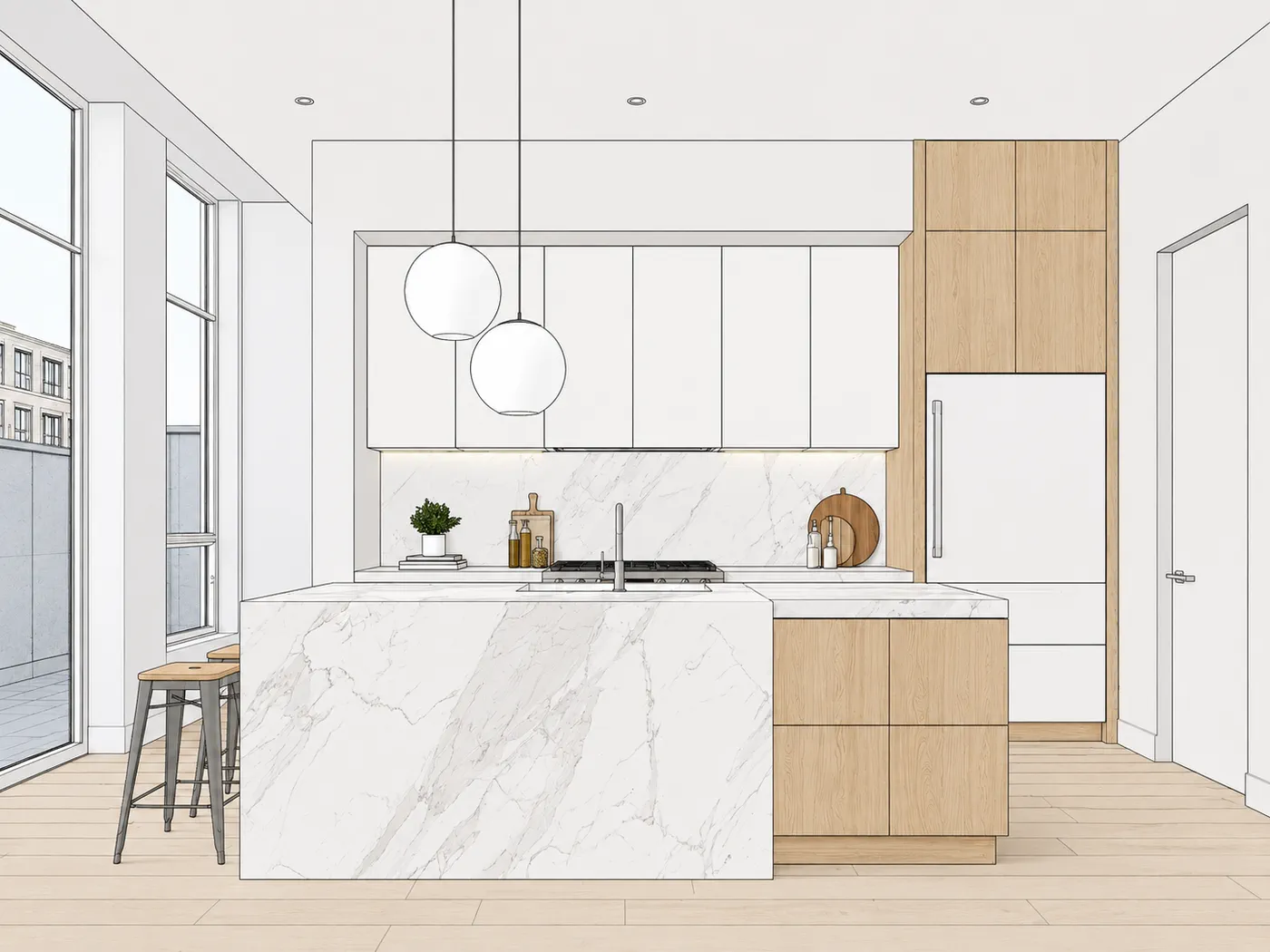
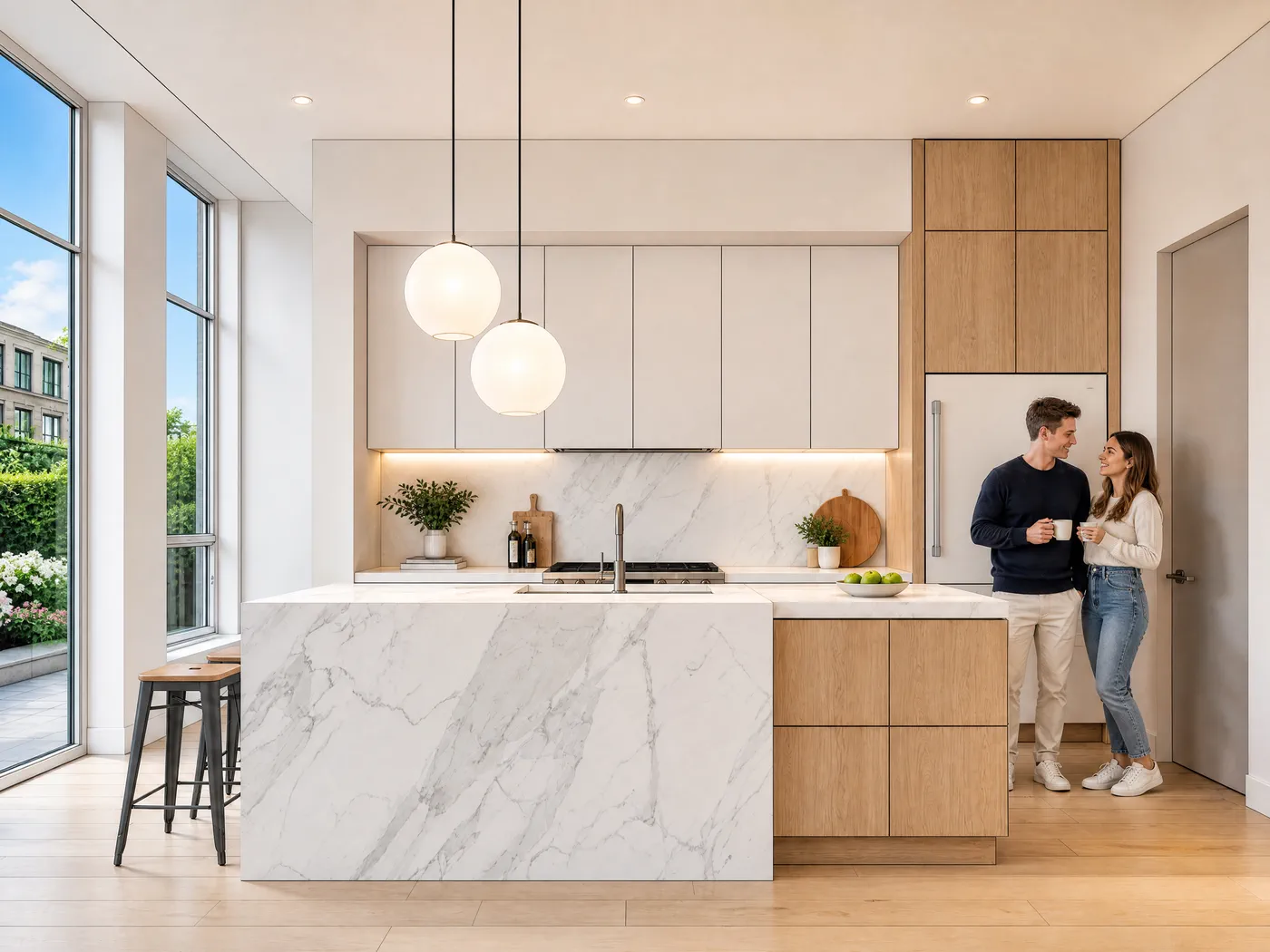
Kitchen: SketchUp export
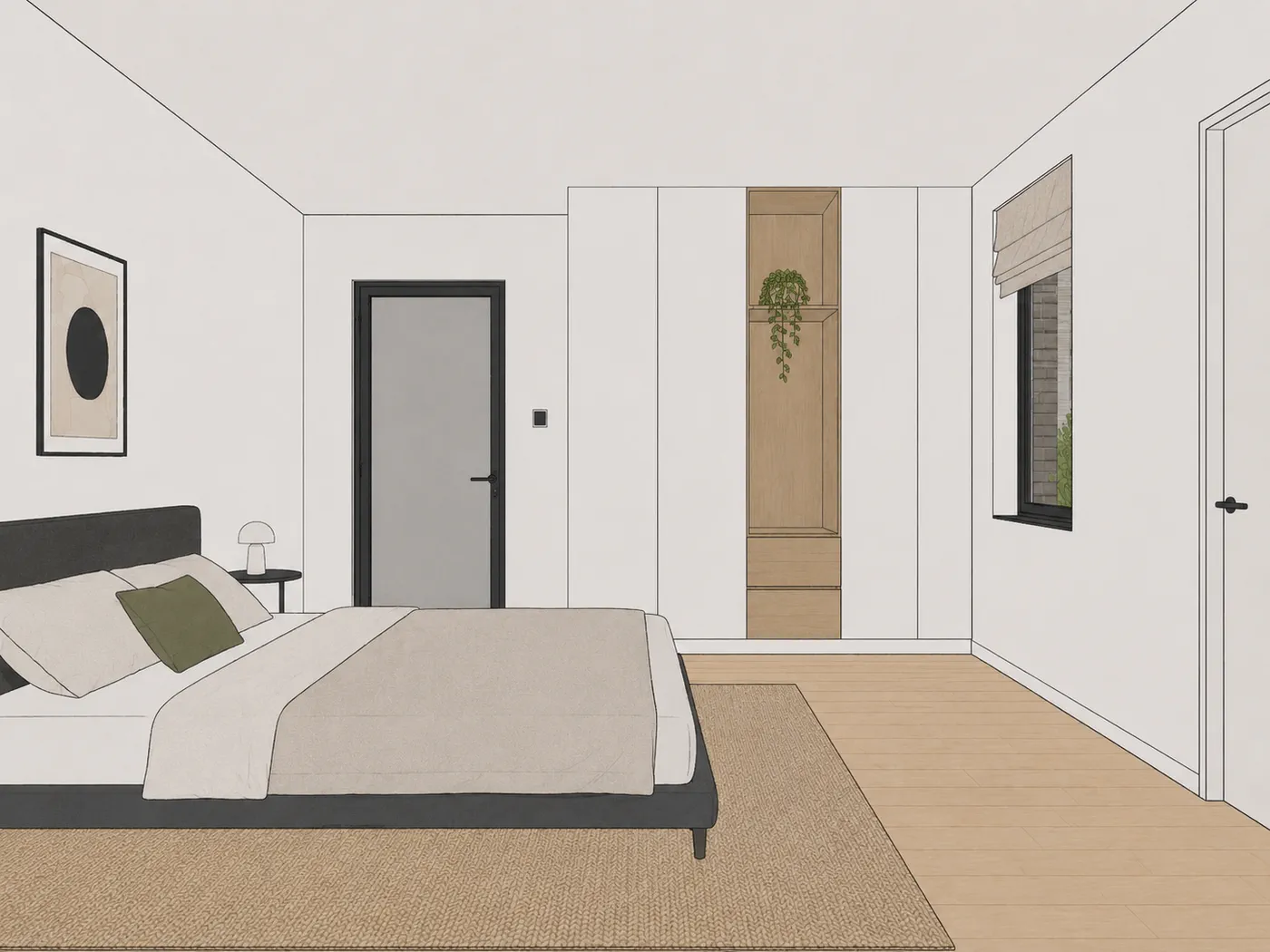
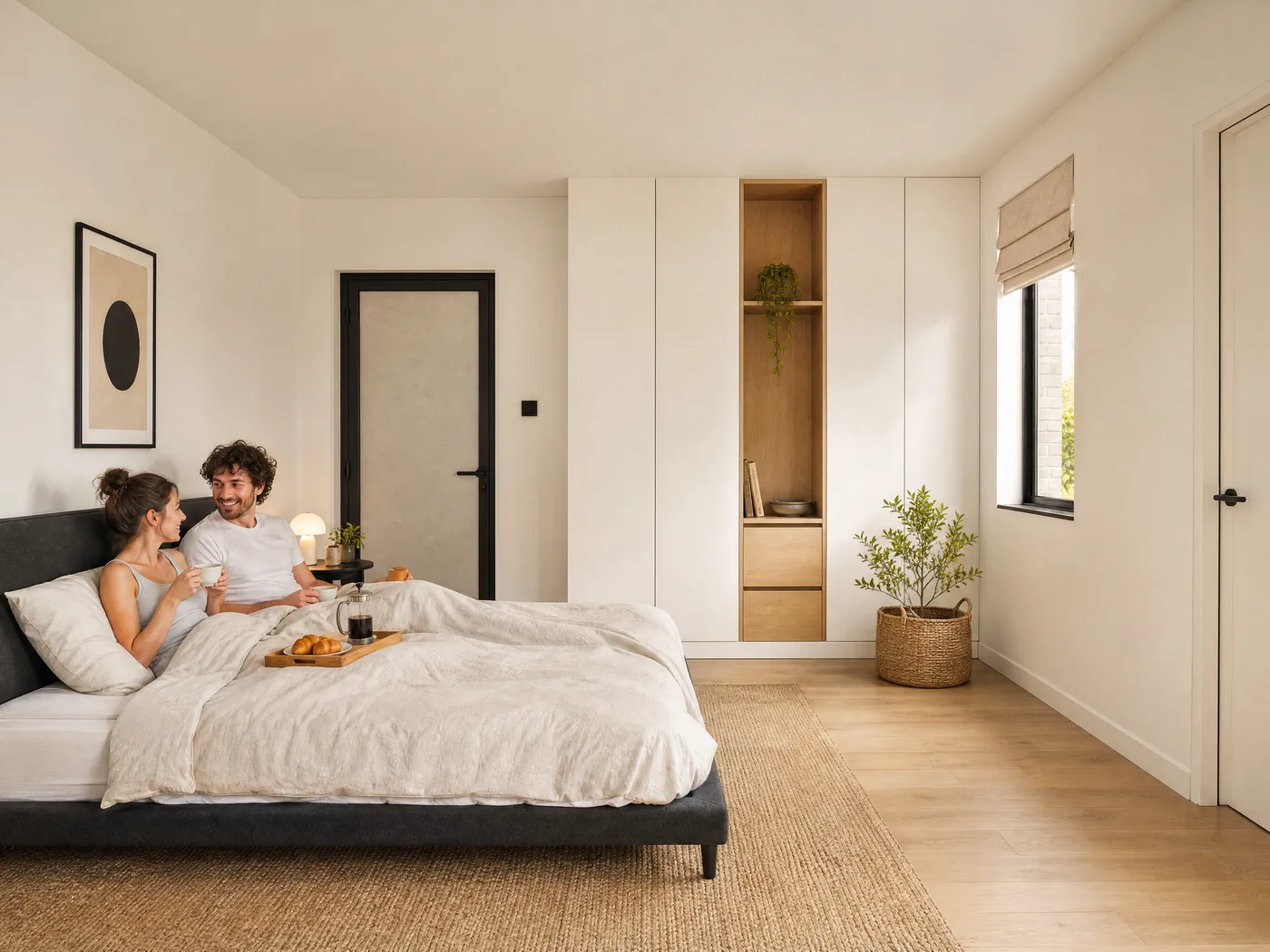
Bedroom: SketchUp export
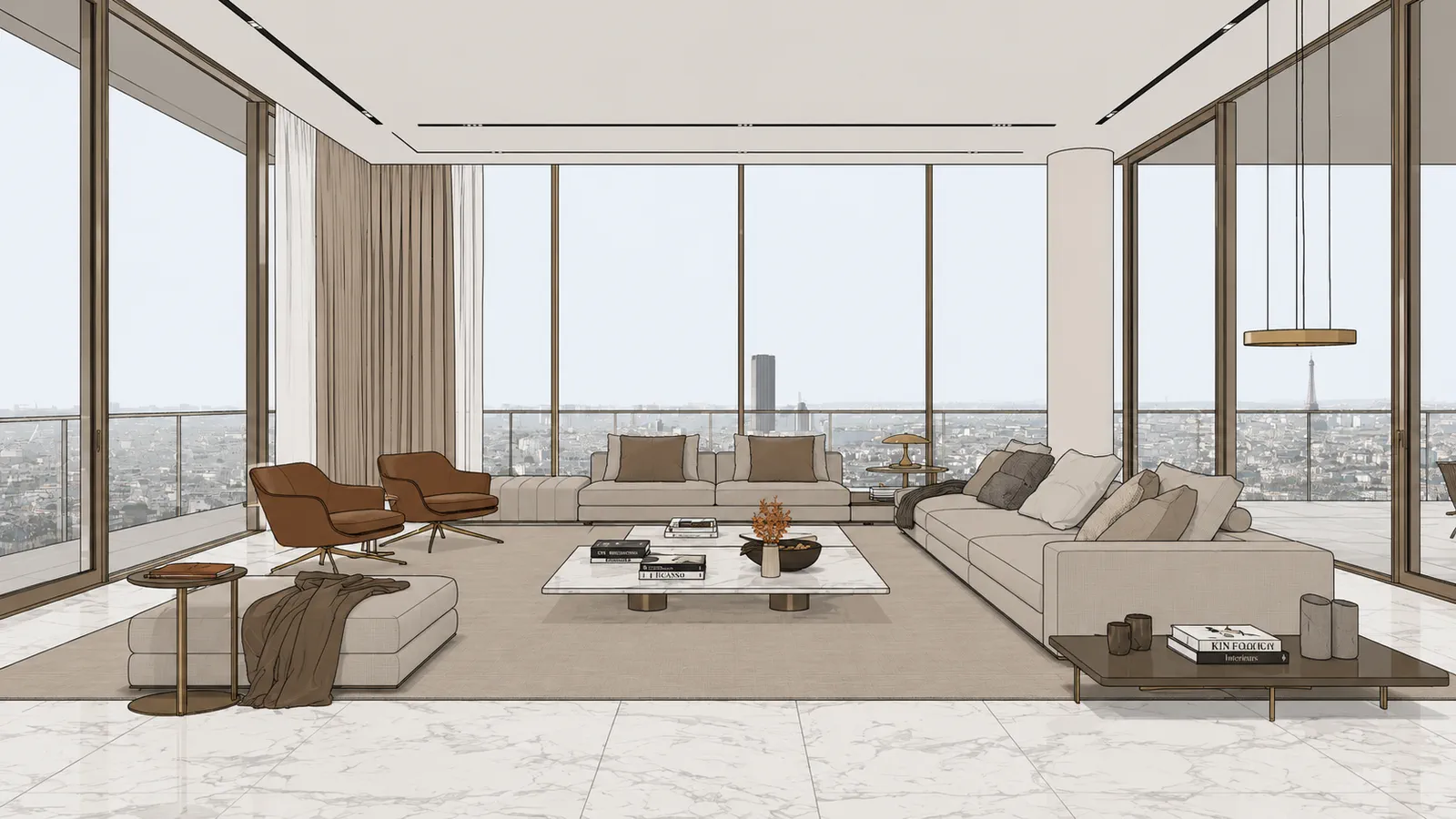
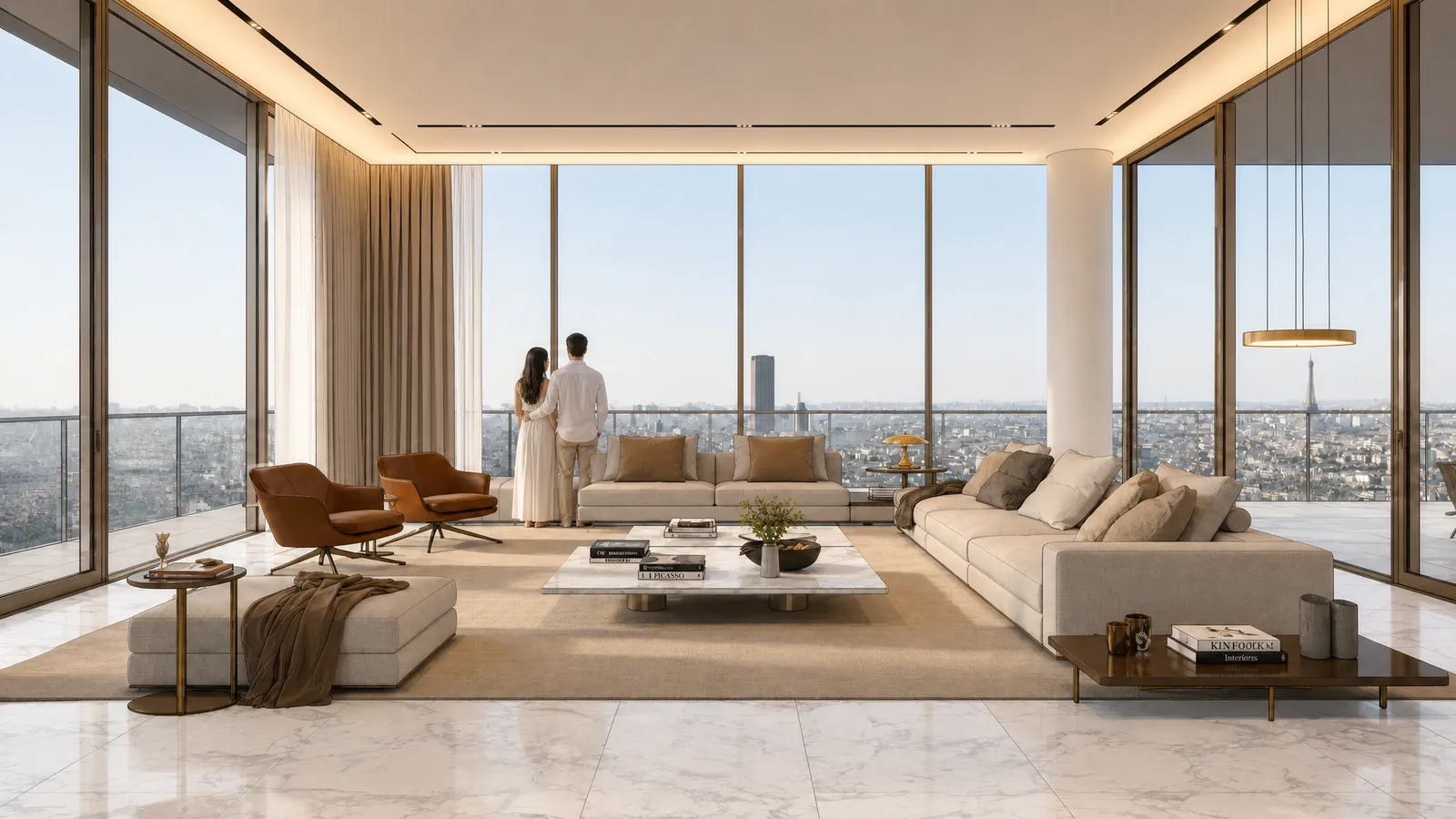
Penthouse: SketchUp export
One viewpoint. Your settings.
Light, time of day, people, materials and styling are yours to set. Click through the options. It's the same SketchUp export from the same camera every time.
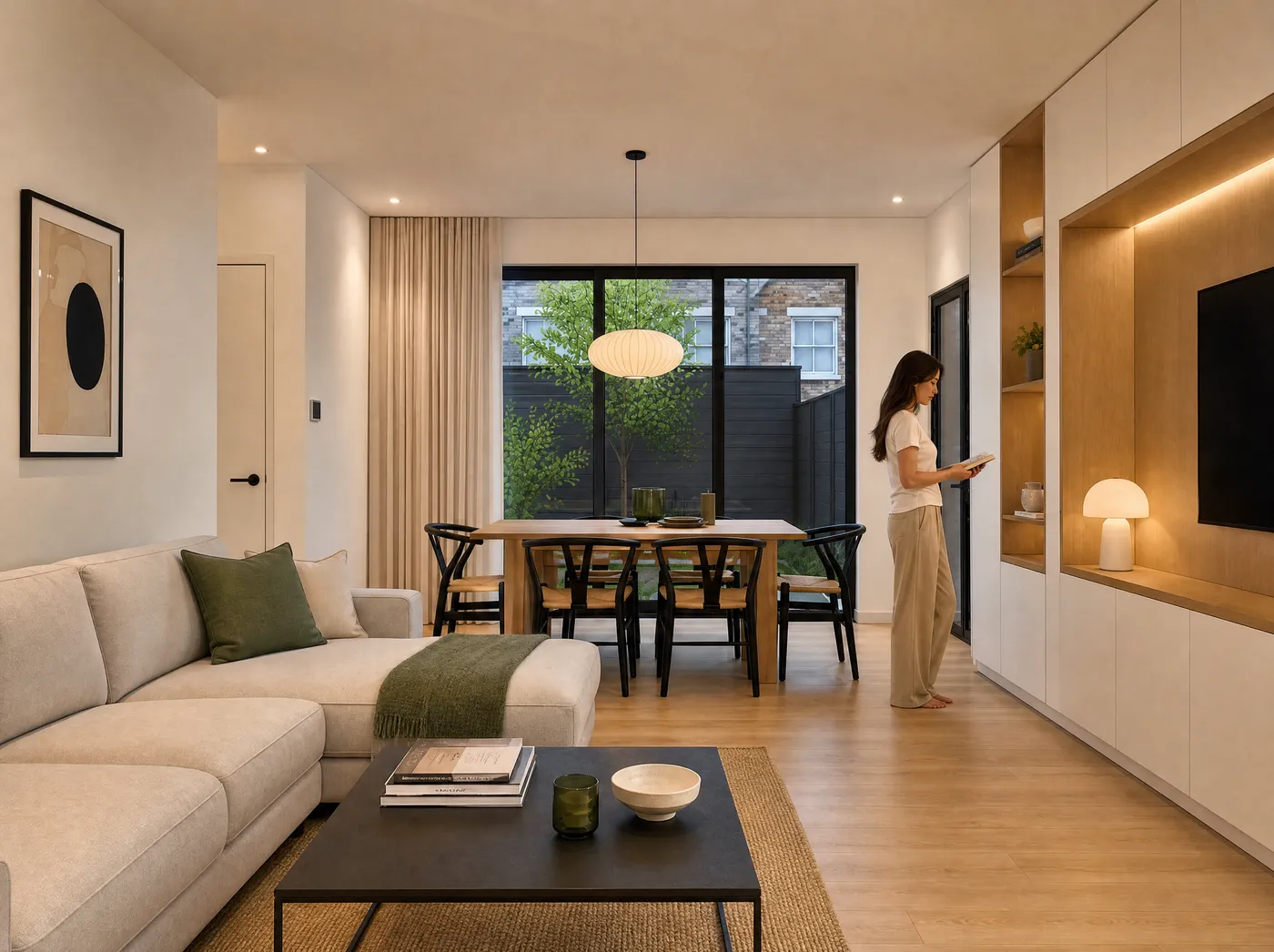
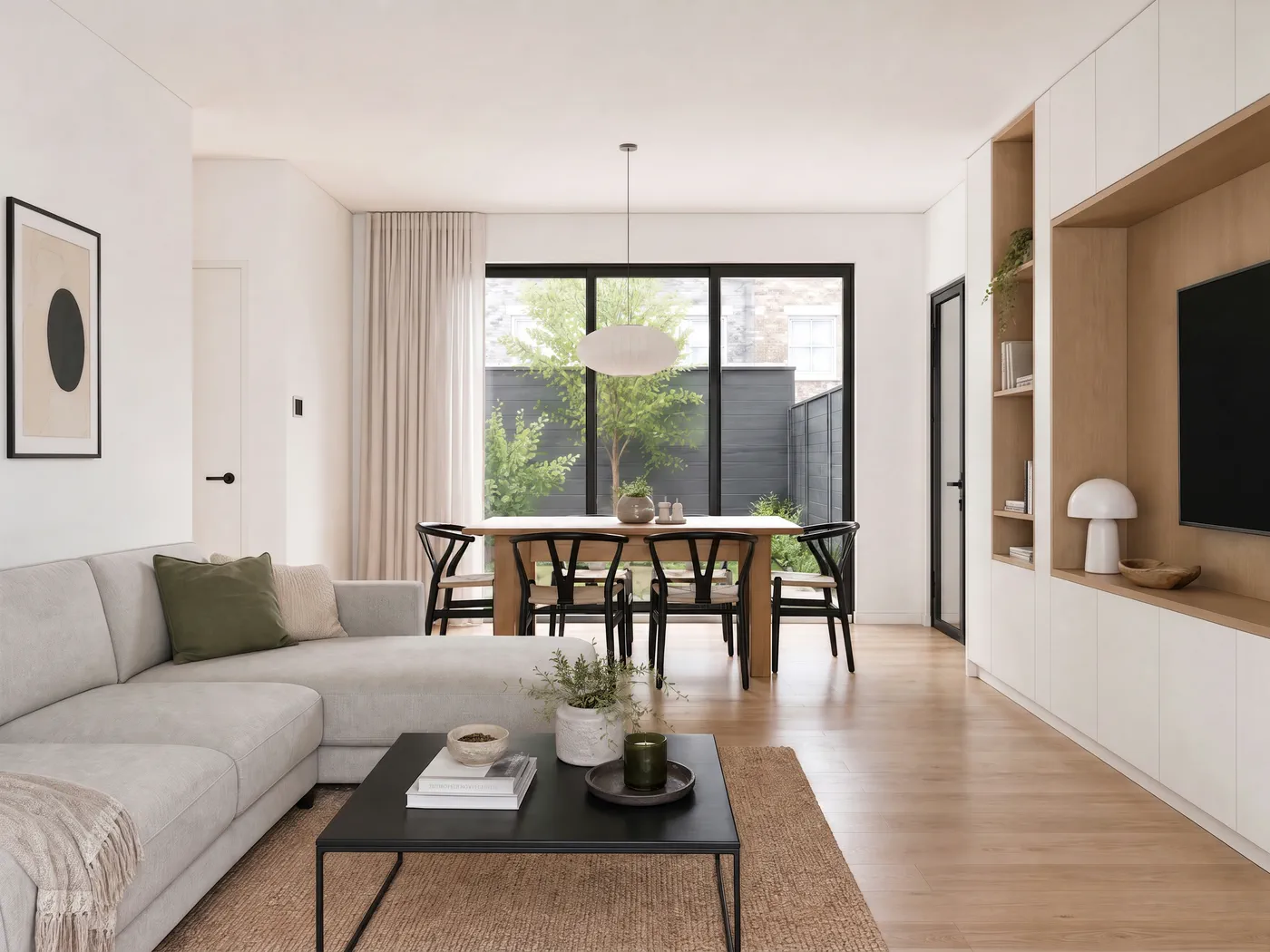
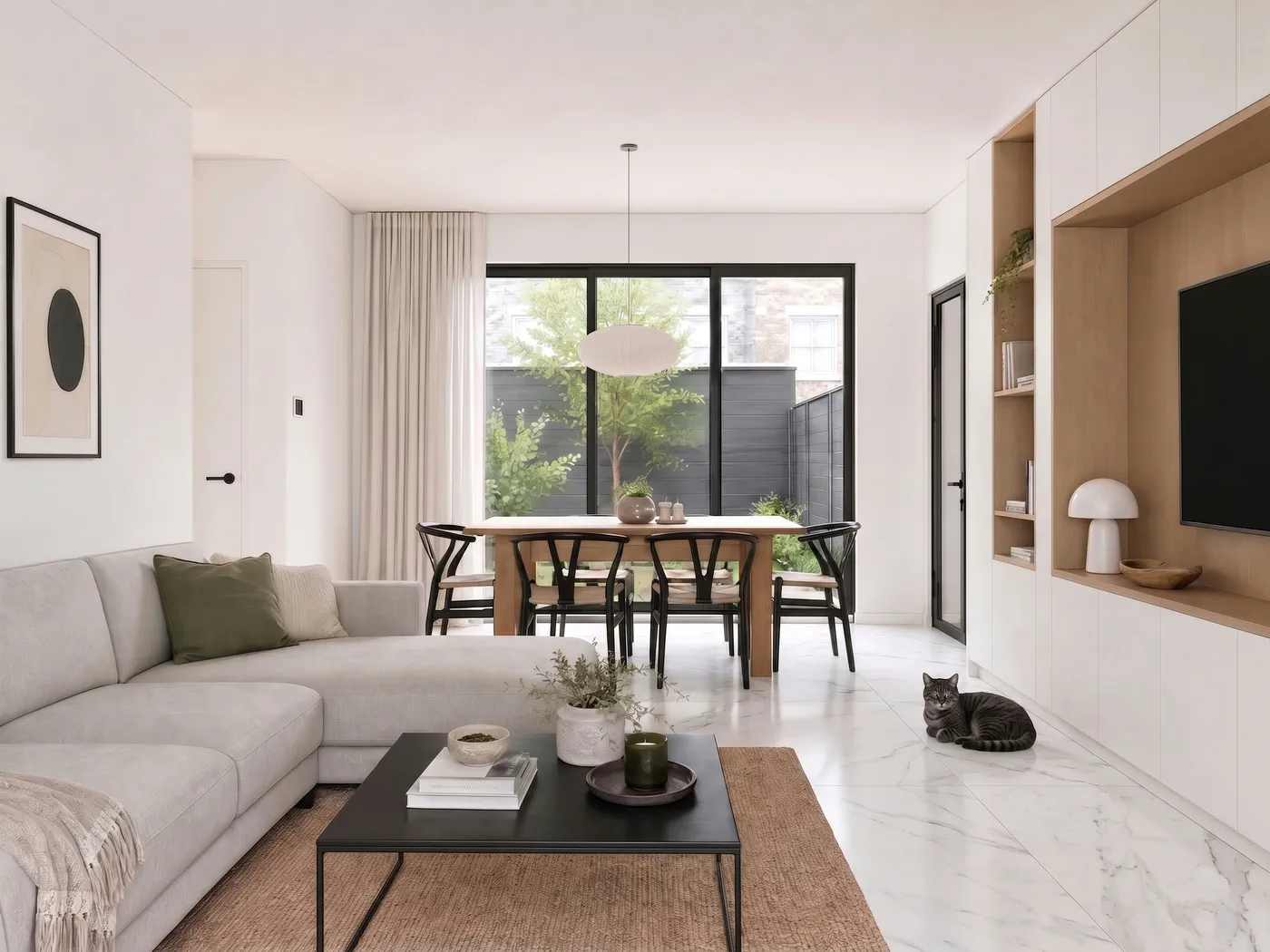
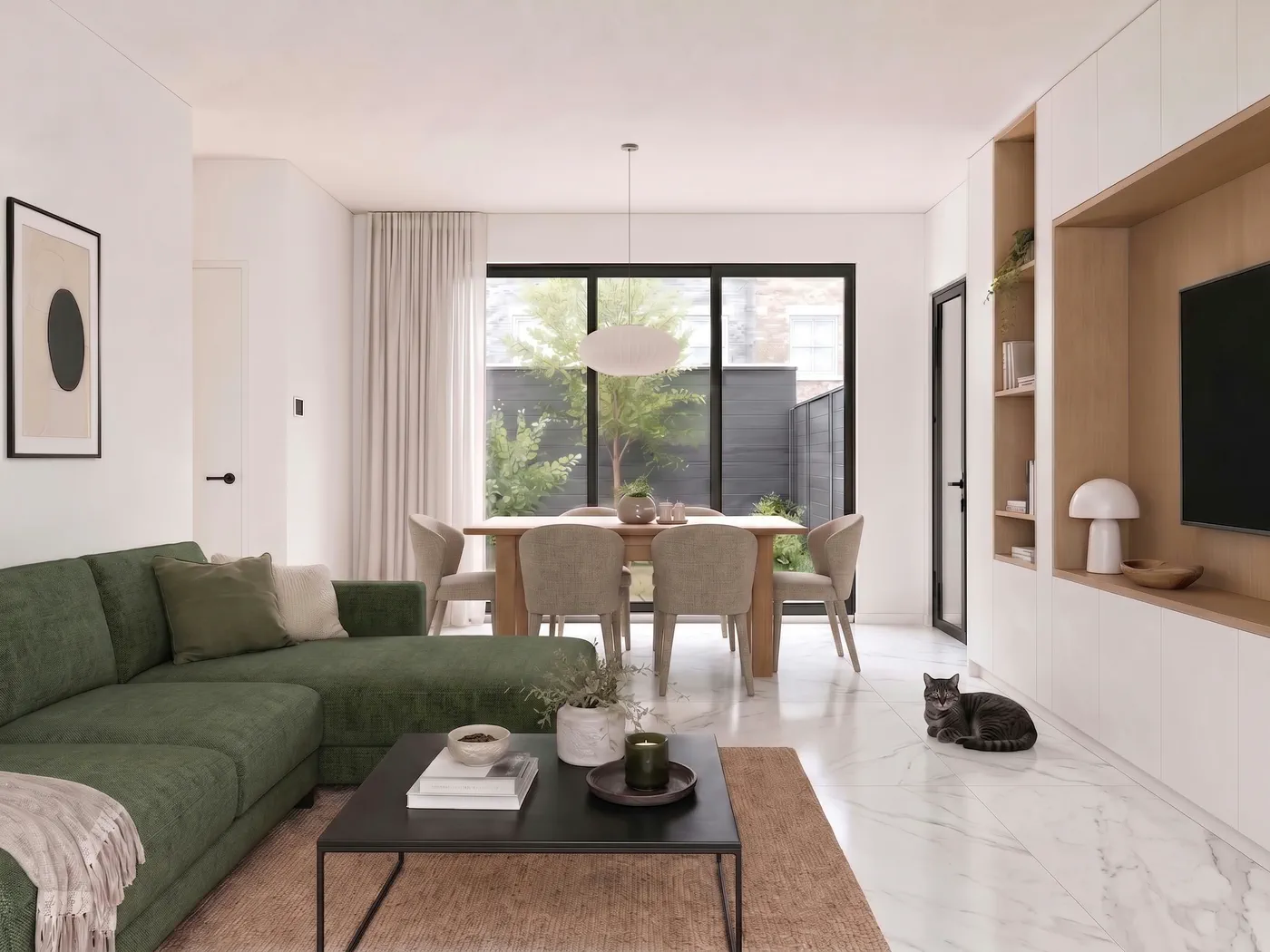
Luminosity: bright · Outdoor light: soft · People: one person
Where those controls live
The panel sits in your dashboard and in the SketchUp extension. Leave it closed and you get the standard look. Nothing about your render changes.
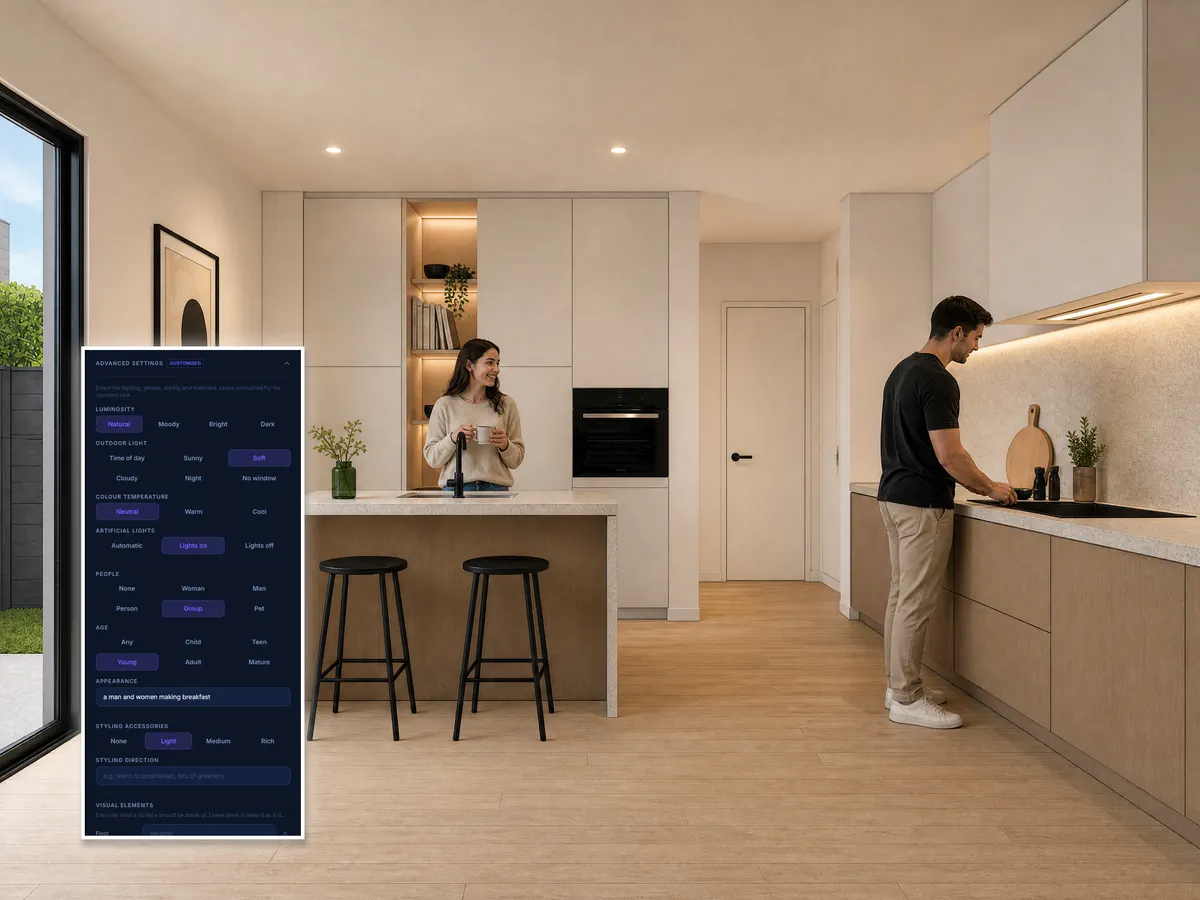
This kitchen: natural light · artificial lights on · a group of people · and in the free-text field “a man and women making breakfast”.
Included on every plan, your free trial too.
Sherpa is built for those who aren't visualisation specialists, and don't want to hire one for every in-between step
Interior designers
You want your client to feel how the space will be, not to explain how to read a work render.
Small design studios
No visualisation specialist in house, no budget for an external studio at every in-between step. Sherpa fills that gap.
Architecture firms
For the moments between a work render and a full rendering process, when you need something presentable faster than an external studio can deliver.
When Sherpa adds the most
Client presentations
Your design is settled. But a work render asks for explanations you'd rather not give.
Pitches
No time for briefing rounds with an external studio. But you do need something that convinces.
Concept stages
Show where you want to take it, without setting up a full rendering process straight away.
Internal decision-making
Better images make internal choices faster. No need to explain what you can still picture in your head.
Three steps. No learning curve.
Upload your work render
An existing work render, SketchUp export or similar base image. The clearer the input, the stronger the output.
Sherpa does the work
No prompts. No settings. No knowledge of render tools required.
Judge it on your own project
You see right away whether it adds something. No upfront investment, no risk.
Nearly right is not the end
You do not have to start over because one thing is off. Work on from a finished image, and see what it costs before you commit.
Adjust this image
1 creditChange one thing: the time of day, the people or a material, and keep the rest of the image as it is.
Detail shots
2 credits for all fourFour close-ups from the same image: the material, a piece of furniture, the light and the styling. Exactly what fills out a presentation.
Upscale to 4K later
2 creditsWork at 1K while you are still shaping the composition. Upscale only once the image is right.
Run it again with these settings
1 creditSame starting point, one control different. Every version of an image stays grouped together.
Four detail shots from a single render, one click, 2 credits together:
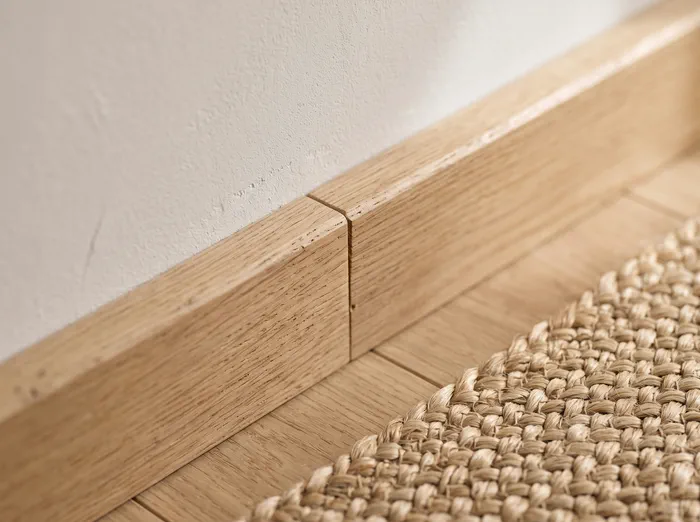
Material
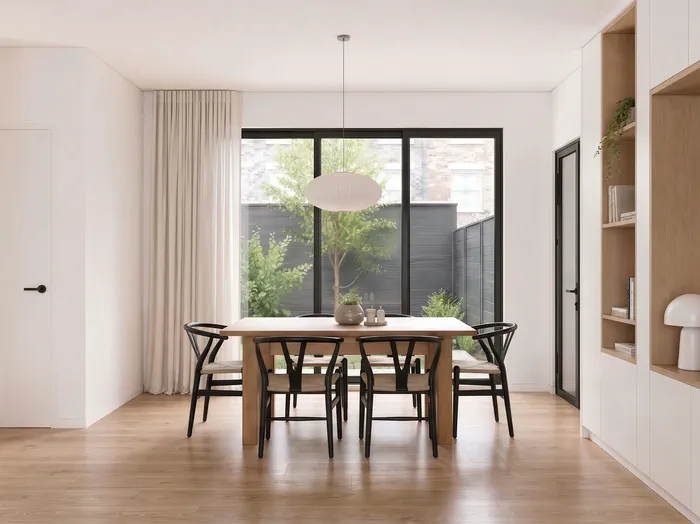
Furniture
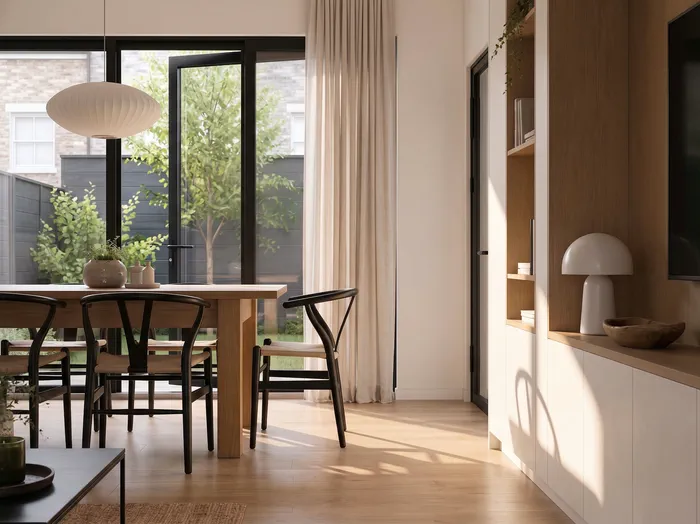
Light
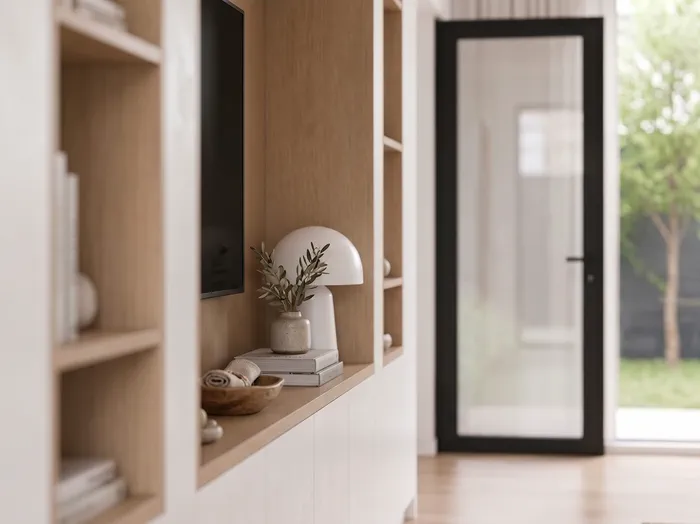
Styling
A failed render costs you nothing. Those credits come straight back.
Render straight from SketchUp
The extension is here. Sherpa Render is listed on SketchUp's official Extension Warehouse, install it through the Extension Manager and you'll find Sherpa in your Extensions menu.
One click in your viewport: no exporting, no in-between steps. You stay in SketchUp and the image comes back on your screen. Same credits, same renders as on the web.
No new render engine to learn. No Enscape, V-Ray or Lumion needed for the projects where speed matters.
And not just another AI Render button: Sherpa is built for client presentations, from rough viewport or work render to a sellable image, without prompt work, keeping your design recognisable, with clear privacy terms.
SketchUp 2021 or newer · Windows & Mac · free extension, renders run on your Sherpa credits
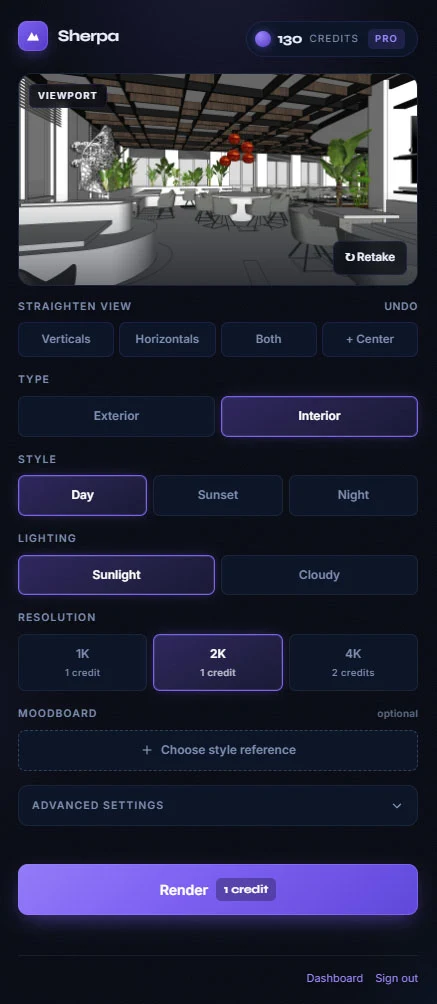
You'll find Sherpa under Extensions › Sherpa Render and on its own toolbar.
What you need
What you already have is enough to get started:
The clearer your starting material, the more you get out of the test.
Not sure if your input is suitable? We'll take a quick look.
For a full rendering process you go to a studio. For everything before that, Sherpa is built.
A professional rendering process has its place. But not every pitch, client conversation or concept stage calls for one.
Every external rendering process means: turnaround time, a briefing, dependence on a studio and costs you don't always want to make for an in-between step.
Sherpa is for the moments before that. When you need something presentable faster, based on what you already have, without the weight of a full process.
Not a replacement for every rendering process.
But a faster step for the moments in between.
How users rate Sherpa after their third render
Every review here was given inside Sherpa, by a signed-in user who had already made at least three renders, and appears with their permission. We add nothing and leave nothing out.
Reviewed by name by Julie Mérignac, Bahram Choubineh, Ravi Rajput and 35 others.
just realistic render app good app
And what holds regardless of anyone's opinion:
5 free renders
No credit card, no subscription. Your first 3 skip the queue, so you know right away.
You keep full ownership
Both your input and the output stay yours, always.
Never for AI training
Your images are never used to train models.
Deleted after 30 days
Files are wiped automatically. Data processing agreement (GDPR) on request.
Pick what fits your work
From first concept to final client presentation. Start free, only upgrade when the work calls for it.
Starter
For solo designers, concepts & presentations
or annually, 1 month free
- 40 credits (≈ 40 images up to 2K) /mo
- Exports up to 2K
- SketchUp, Revit & ArchiCAD
- All styles & render controls
- Email support
- 4K export & batch from Pro upwards
Pro
For studios, real client presentations
or annually, 1 month free
- 120 credits (≈ 120 images) /mo
- Exports up to 4K (4K = 2 credits)
- Batch rendering
- Faster processing
- Priority support
Studio
For teams & production
or annually, 1 month free
- 350 credits (≈ 350 images) /mo
- Exports up to 4K
- Batch rendering
- Priority rendering
- Dedicated support
1 credit = 1 image up to 2K · 4K = 2 credits · Cancel monthly · Only pay when you upgrade. On a plan and running low? Add extra credits whenever you need them, from €29.
Frequently asked questions
Is Sherpa a free AI image generator?
No. Sherpa always works from your own base material. You don't generate anything random. You enhance what you already have.
Will my design stay recognisable?
Yes. Sherpa enhances your base material. It doesn't invent anything new. The stronger your work render, the more recognisable the result.
Is the output good enough for a client conversation?
For concepts, pitches and client presentations: yes, that's exactly what Sherpa is made for. And because you test it for free on your own material, you see it for yourself straight away instead of taking our word for it.
Do I need technical knowledge?
No. No prompts, no render know-how, no settings. Upload your image and go.
How long does a render take?
Processing itself takes a few minutes. When the image reaches you depends on your plan: Studio delivers instantly, Pro within about five minutes, Starter within about an hour. Renders started from the SketchUp extension are always delivered as soon as processing finishes.
What happens to my files?
Your images are never used to train AI models and you keep full ownership of both input and output. Files are automatically deleted after 30 days. A data processing agreement (GDPR) is available on request.
Does Sherpa work with SketchUp exports?
Yes, in two ways. You upload a SketchUp export or work render, or you install the free Sherpa Render extension from the SketchUp Extension Warehouse and render straight from your viewport. Either way you need no render engine like V-Ray or Enscape.
How is Sherpa different from SketchUp's own AI Render?
SketchUp has its own AI Render feature, aimed at quick style exploration within your SketchUp subscription. Sherpa is built for client presentations: from work render or viewport to a sellable image, without prompt work, while keeping your design recognisable and with clear privacy terms (no AI training, you keep ownership). Sherpa also works with any work image, not just SketchUp.
Is Sherpa an alternative to V-Ray or Enscape?
Sherpa doesn't replace a full render engine. It's the fast in-between step for pitches, concepts and client conversations where you don't want to spend hours in V-Ray or Enscape. For a fully photorealistic project, a render engine or rendering studio remains the right choice.
Do my credits expire?
Free trial credits are valid for 30 days. Subscription credits are refilled every month. Top-ups are bought by subscribers on top of their bundle and stay available as long as your subscription is active.
What happens after my 5 free renders?
Nothing automatic, there's no commitment. If you want to continue, you pick a subscription from €49 per month. So you only pay once you've seen on your own project that it works.
Judge it on your own project
The fastest way to know whether Sherpa does something for you: put your own work render in the panel at the top of this page. You only create an account at the moment you press render.
Five free renders, the first three straight past the queue. No credit card. Clear right away.
Try for freeYour design is ready.
Now the image.
Sherpa helps designers and studios turn work renders into images strong enough for a real conversation, faster.