Render your SketchUp model online, without V-Ray
Upload your SketchUp export and Sherpa turns it into a presentation-ready image with AI. Or install the free extension and render straight from your viewport. No render engine, no settings, just the image you need for your pitch or client conversation.
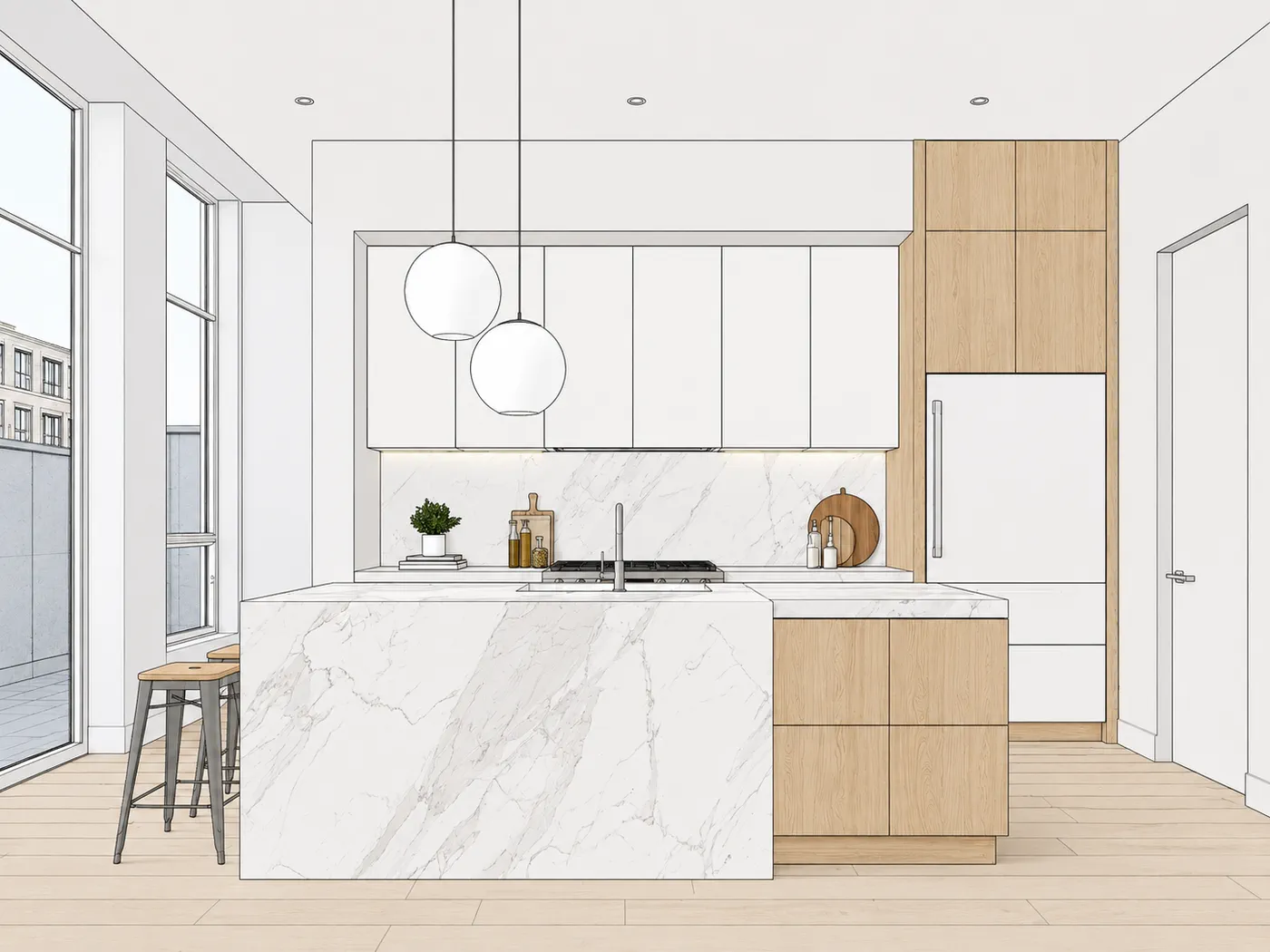
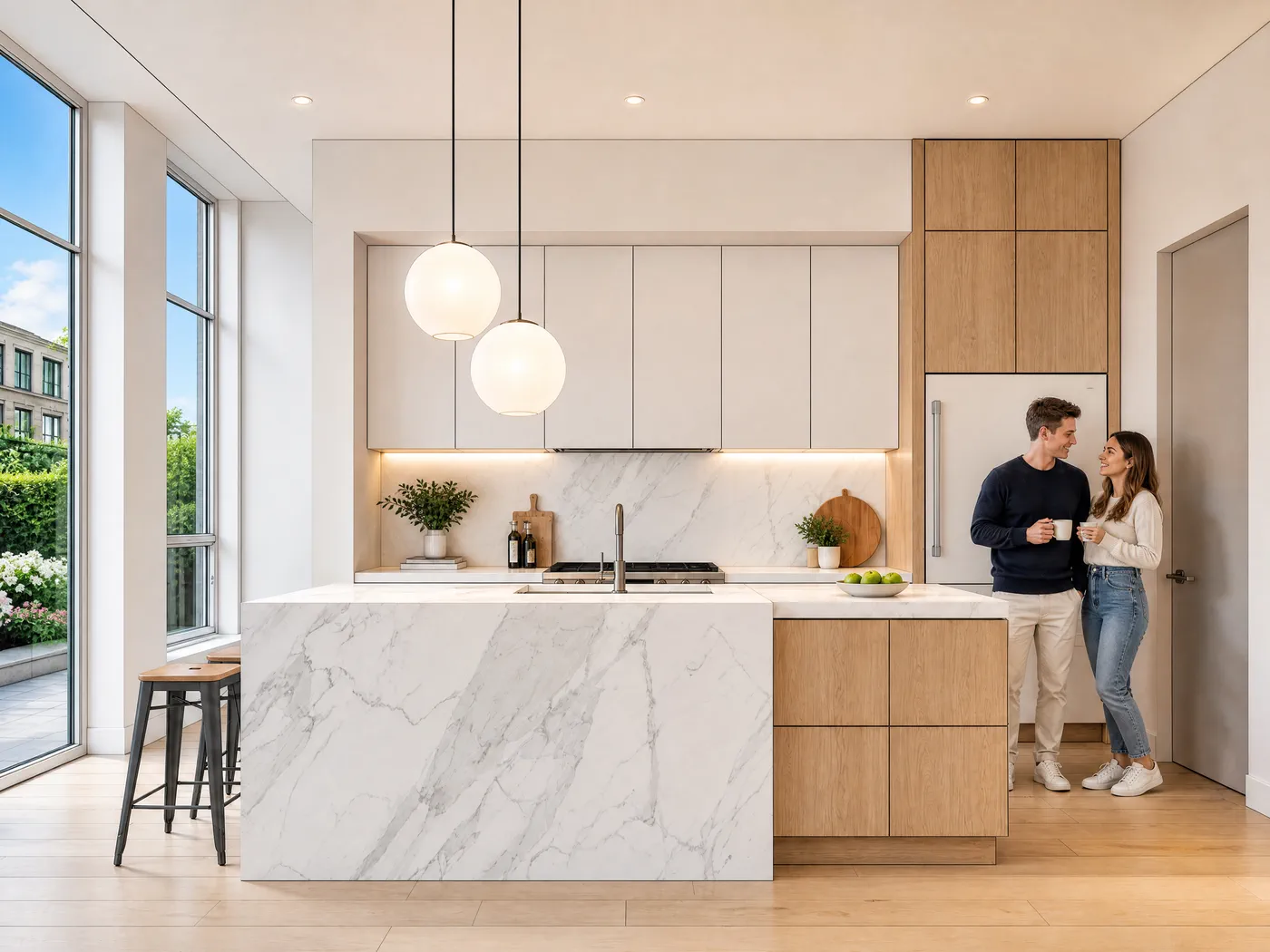
From SketchUp export to presentation image
Rather skip the export step? Use the SketchUp extension and render from your viewport.
Export your viewport
Save an image (PNG or JPG) of your model view from SketchUp. The clearer the view, the stronger the result.
Upload to Sherpa
Drop your export in. No prompts, no settings, no rendering expertise required.
Download your image
You get a presentation-ready image back, ready for your pitch, concept, or client conversation.
Or skip the export step
The free Sherpa Render extension is listed on the official SketchUp Extension Warehouse. Install it through the Extension Manager and render straight from your viewport, no export, no upload, no switching to your browser.
It runs on the same credits, and your renders show up in your Sherpa dashboard.
Get the extensionSketchUp 2021 or newer · Windows & Mac · internet connection required.
No Sherpa account yet? Create one for free, 5 renders included.
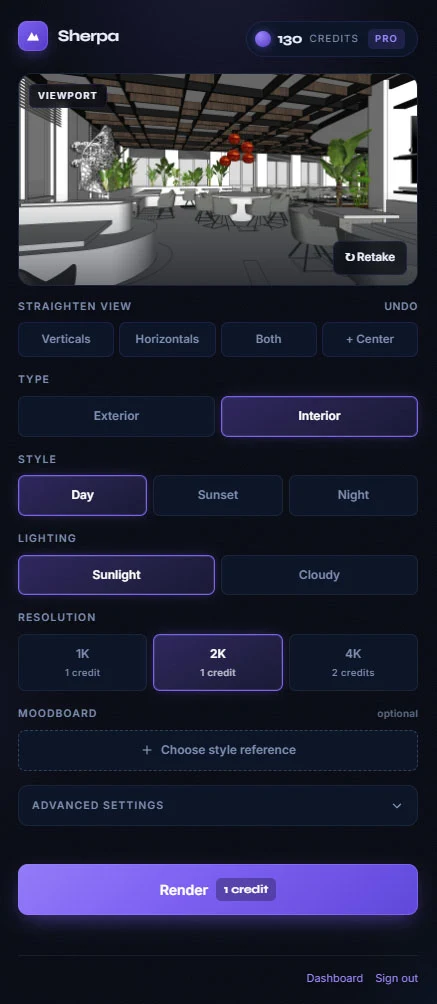
You'll find Sherpa under Extensions › Sherpa Render and on its own toolbar.
Why Sherpa instead of V-Ray, Enscape or Lumion?
A full render engine is powerful, but also slow to set up, with a learning curve and settings you don't want to touch for every pitch. For the final, photorealistic image V-Ray, Enscape or a render studio remains the right choice.
But for most projects where you quickly need something presentable, that's heavy machinery.
Sherpa works directly on your SketchUp export: no engine, no rendering knowledge. You upload what you already have and get back an image within minutes that is strong enough for a client conversation. Or you skip the export step with the Sherpa Render extension and render with one click from your viewport.
And Sherpa is not just another AI Render button like the one SketchUp offers itself: it is built for client presentations: your design stays recognisable, you never write prompts, and your images are never used for AI training.
Yes: fast, no engine needed, works on your existing export.
Not: a replacement for a fully photorealistic render pipeline.
Prefer to skip render engines altogether? Read render without V-Ray.
Frequently asked questions about SketchUp renders
How do I render my SketchUp model?
Export an image (PNG or JPG) from your SketchUp viewport and upload it to Sherpa. You get a presentation-ready image back, without installing or configuring a render engine like V-Ray or Enscape.
Do I need V-Ray, Enscape or Lumion?
No. Sherpa works directly on your SketchUp export. You need no render engine, plug-in, or rendering expertise. For a fully photorealistic pipeline a render engine or render studio remains the right choice; for pitches, concepts, and client conversations Sherpa is the fast in-between step.
Will my SketchUp design stay recognisable?
Yes. Sherpa enhances your existing export. It does not invent anything new. The clearer your SketchUp image, the stronger and more recognisable the result.
Is there a SketchUp extension?
Yes. Sherpa Render is listed on the official SketchUp Extension Warehouse. Install it for free through the Extension Manager, sign in with your Sherpa account, and render with one click straight from your viewport, no export step. Uploading through the website keeps working too.
How is Sherpa different from SketchUp's own AI Render?
SketchUp has its own AI Render feature, aimed at quick style exploration within your SketchUp subscription. Sherpa is built for client presentations: from export or viewport to a sellable image, without prompt work, keeping your design recognisable and with clear privacy terms: no AI training, you keep ownership, files deleted after 30 days.
Try it on your own SketchUp export
Five free renders, no credit card. You'll see straight away whether it works for you.