What is AI rendering?
A clear guide for designers and architects: what AI rendering is, how it differs from traditional rendering, and when to use it.
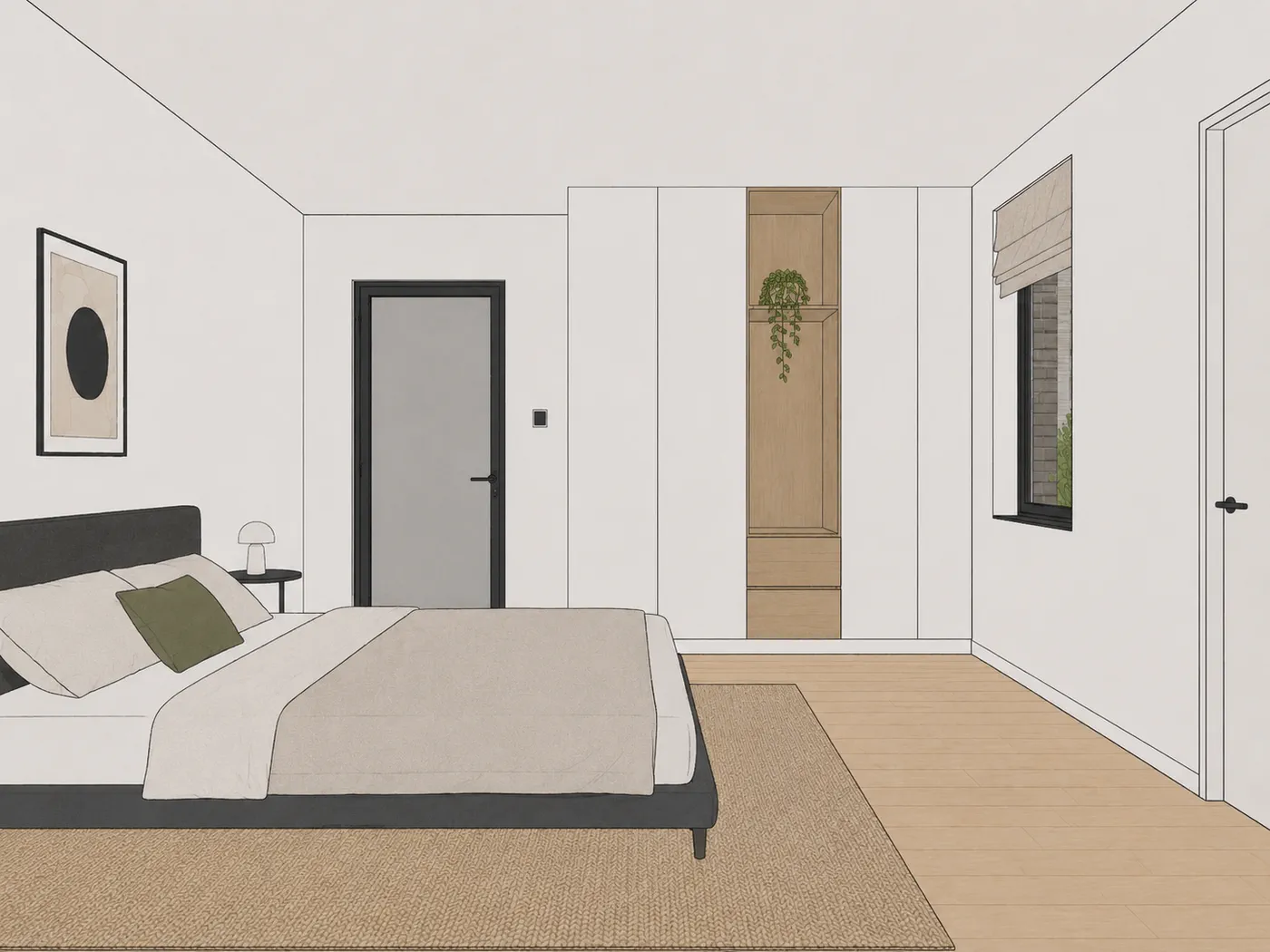
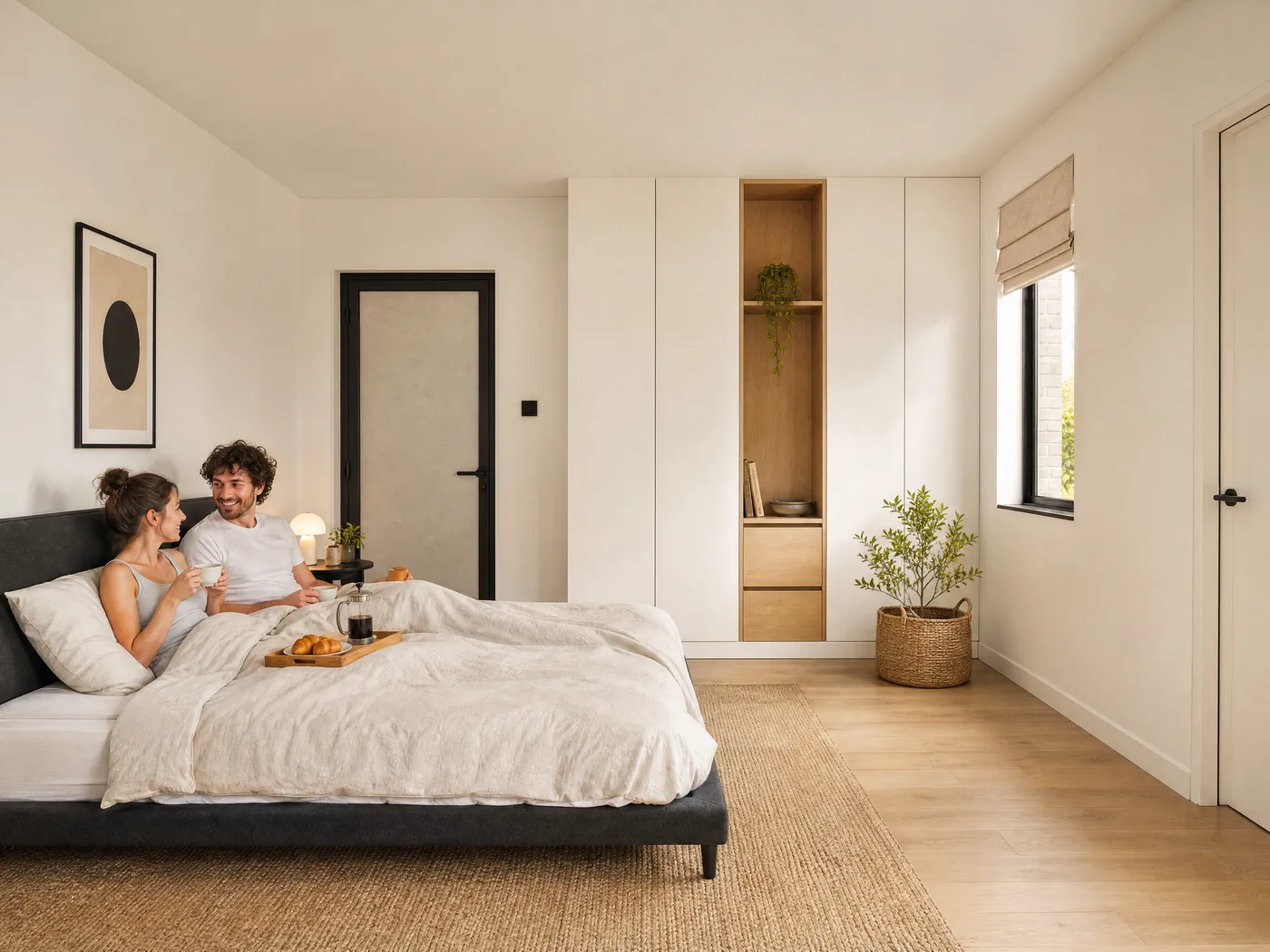
AI rendering is the use of artificial intelligence to transform an existing base image, such as a work render or SketchUp export, into a richer, presentation-ready image. It starts from your own material and does not invent a new design.
AI rendering vs. traditional rendering
Traditional rendering with an engine such as V-Ray, Enscape, or Lumion calculates an image from a complete 3D scene: materials, lighting, reflections, and camera position. This gives maximum control and photorealism, but costs time, computing power, and a serious learning curve.
AI rendering works on an existing 2D image and delivers a presentation-ready result within minutes. You trade full control and photorealism for enormous gains in speed and simplicity: no engine, nothing you have to configure, no rendering expertise required.
The two are not mutually exclusive. Many designers use AI rendering for quick in-between steps and a render engine or studio for the final image.
What is a work render?
A work render is a quick, unfinished visualisation you create during the design process to check volumes, space, and proportions. It is functional for your own use, but often too technical or too flat to show a client. AI rendering is designed precisely to turn that work render into something presentable.
Is your base image a SketchUp export? Read AI rendering for SketchUp. What makes a work render suitable, and which mistakes cost you credits, is covered in the 7 mistakes that cost you renders.
When do you use AI rendering?
AI rendering works best at moments when speed matters and photorealism is not required: pitches, concept phases, client presentations, and internal decision-making. For a fully photorealistic final image, a render engine or render studio remains the right choice.
What kinds of AI renderers exist?
There are two families, and the difference decides what you get back. Text-to-image renderers generate a picture from a text prompt: you describe what you want to see and the model invents a building to match. That is powerful for free-form concept exploration, but the building is never quite yours.
Image-to-image renderers, and Sherpa is one of them, start from your own image: a work render, SketchUp export or viewport capture. The AI completes light, materials and surroundings, but the geometry you drew stays put. For architects presenting their own design, that is the difference that matters.
A third category is classic render engines adding AI features (such as AI materials in a real-time engine). Those combine full control with AI acceleration, but still require a GPU, installation and a learning curve. A full overview lives in our comparison of 7 AI rendering tools.
What determines the quality of an AI render?
Mostly the source image, not the AI. A camera at eye level with straight verticals, standard daylight and roughly assigned materials gives the AI something to hold on to; a dark bird's-eye view without materials forces it to guess. The seven most common mistakes, with example images, are in the 7 mistakes that cost you renders.
Steering matters too: with prompt-driven tools the result depends on how well you phrase things, with a control-driven tool like Sherpa you pick light, time of day, people and materials with buttons and the outcome is more predictable.
Frequently asked questions
What is AI rendering?
AI rendering is the use of artificial intelligence to transform an existing base image, such as a work render or SketchUp export, into a richer, presentation-ready image. Unlike a freeform AI image generator, it starts from your own material and does not invent a new design.
What is the difference between AI rendering and traditional rendering?
Traditional rendering (V-Ray, Enscape, Lumion) calculates an image from a 3D scene with materials, lighting, and a camera position, powerful but slow, with a steep learning curve. AI rendering works on an existing 2D image and delivers a presentation-ready result within minutes, without a render engine, but also without full control or photorealism.
What is a work render?
A work render is a quick, unfinished visualisation you create during the design process to check volumes and spatial relationships. It is functional for internal use, but often too technical or flat to show a client.
Does AI rendering replace a render studio or render engine?
No. For a fully photorealistic final image, a render engine or render studio remains the right choice. AI rendering is the fast in-between step for pitches, concept phases, and client conversations.
See AI rendering on your own image
Five free renders, no credit card. The fastest way to see what AI rendering does for your work.