AI rendering for architects who want to present faster
For the moments between a work-render and a full rendering pipeline. Turn your existing image into something strong enough for a pitch or client conversation, without hiring an external studio for every in-between step.
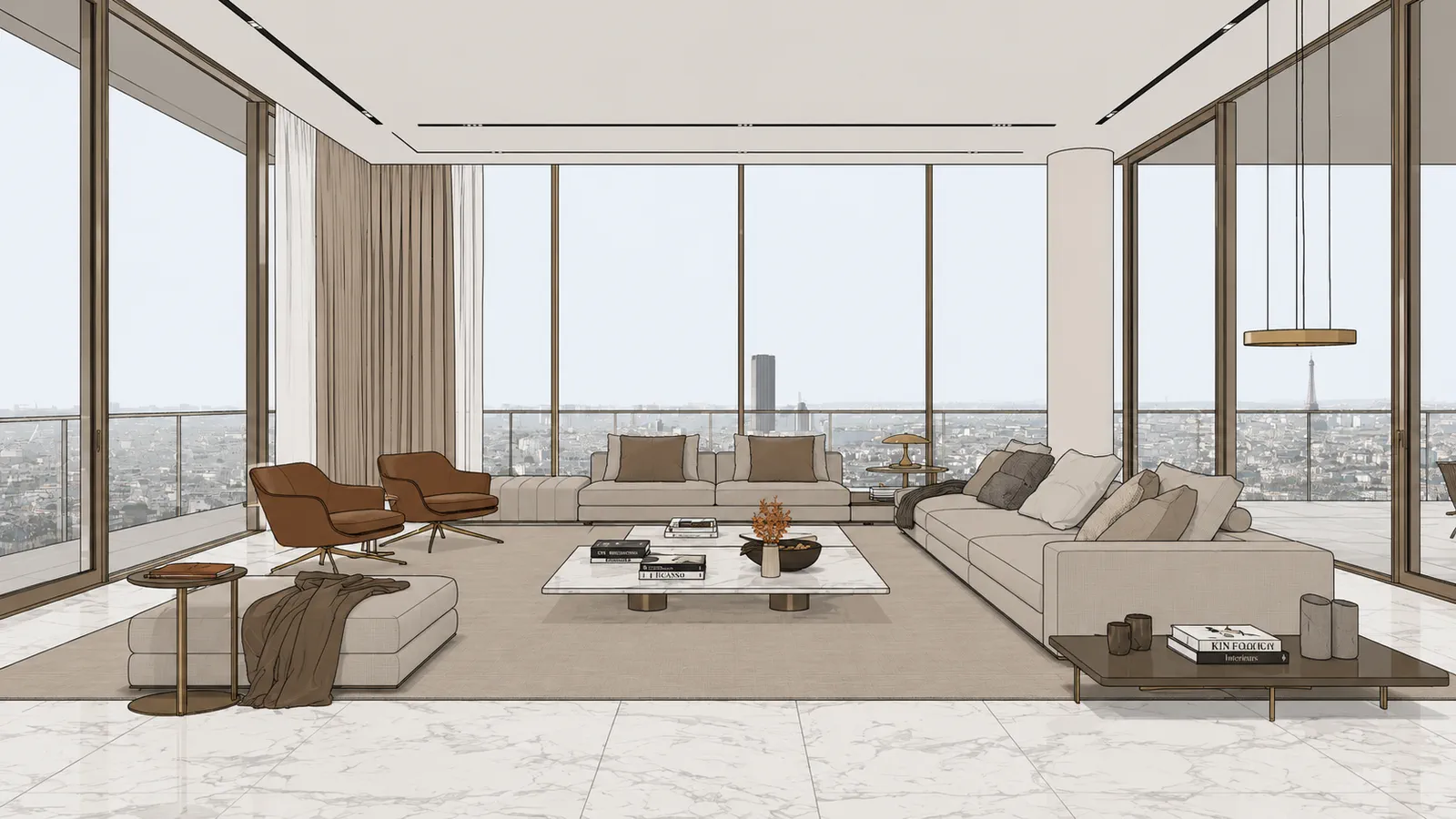
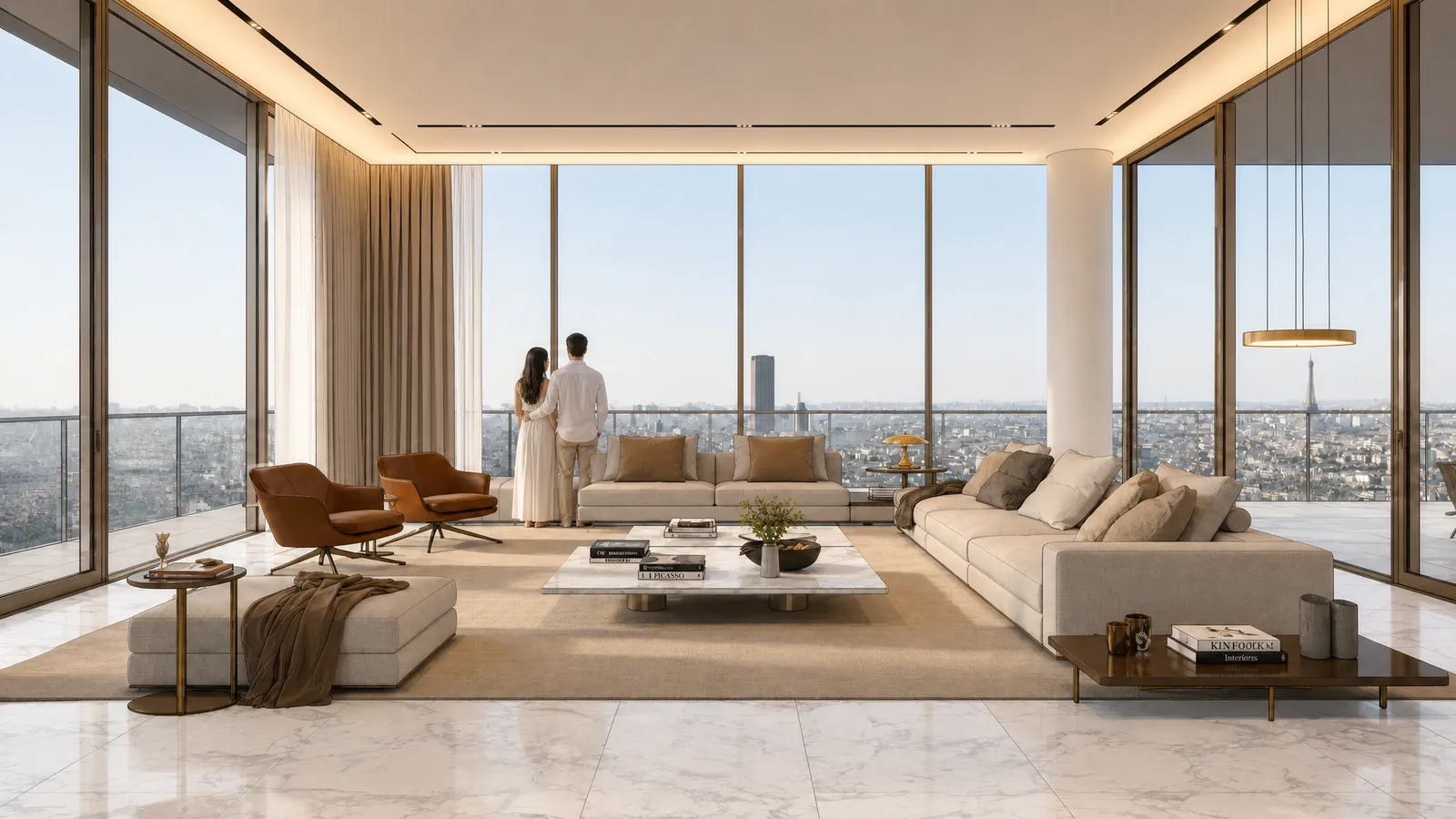
When architects use Sherpa
Pitches
No time for briefing rounds with an external studio, but you still need something that convinces.
Concept stages
Show where you want to go without setting up a full rendering pipeline straight away.
Client presentations
An image that lets the design speak for itself, instead of a work-render that needs explaining.
Internal decision-making
Better images make internal choices faster, no need to explain what you still see in your head.
Working in SketchUp? See AI rendering for SketchUp · or render without V-Ray.
How a firm fits Sherpa into the process
In the sketch phase, a designer renders their own SketchUp viewport, with the free extension even without an export step. The same viewpoint in daylight, evening mood and without people costs three credits and five minutes, and gives the team three variants to decide on.
In the pitch and presentation phase, the best viewpoints go through the advanced controls: artificial light on, styling one level up, the right material on the floor. Four detail shots from the main image fill out the presentation without new render work.
For the final delivery, the firm switches gears as always: render engine or visualisation studio. The difference is that all the rounds before it no longer cost render days.
Everyone in the office can operate it, because there is nothing to learn: no prompts, just controls.
Project confidentiality and GDPR, covered
Architecture firms work with confidential material: unsold designs, tenders, projects under NDA. That is why this is product policy at Sherpa, not small print: your images are never used to train AI models, you keep full ownership of input and output, and files are deleted from our servers automatically after 30 days.
For firms that need a data processing agreement (GDPR) for their own clients, one is available on request. Sherpa is also a Dutch product, built in Amsterdam, so you have a point of contact in a European timezone.
Ask us via contact, you will hear back within one business day.
Frequently asked questions
Is Sherpa suitable for architecture firms?
Yes. Sherpa is built for the moments between a work-render and a full rendering pipeline: pitches, concept stages and client presentations. For the final photorealistic image you still use a render engine or external studio.
Will the design stay recognisable and professional?
Sherpa enhances your existing image without inventing anything new, the design stays recognisable. Because you test it for free on your own project, you judge for yourself whether it meets your client's standards.
What happens to our project files?
Your images are never used to train AI models, you retain full ownership, and files are automatically deleted after 30 days. A Data Processing Agreement (GDPR) is available on request.
Does it work with multiple people in the office?
Sherpa works per user account, each with its own credit balance and render history. For a busy office, the Studio plan with 350 credits per month is the best fit.
Judge it on your own project
Five free renders, no credit card. Upload your own work-render and see whether it fits your workflow.